One-time purchase · No subscription · Private Windows apps

Tools that put you ahead of your money

No subscriptions. No bank logins. No 45-minute setup videos. Two focused Windows desktop apps — one to prepare for life's uneven expenses, one to eliminate consumer debt. Your data stays on your computer.

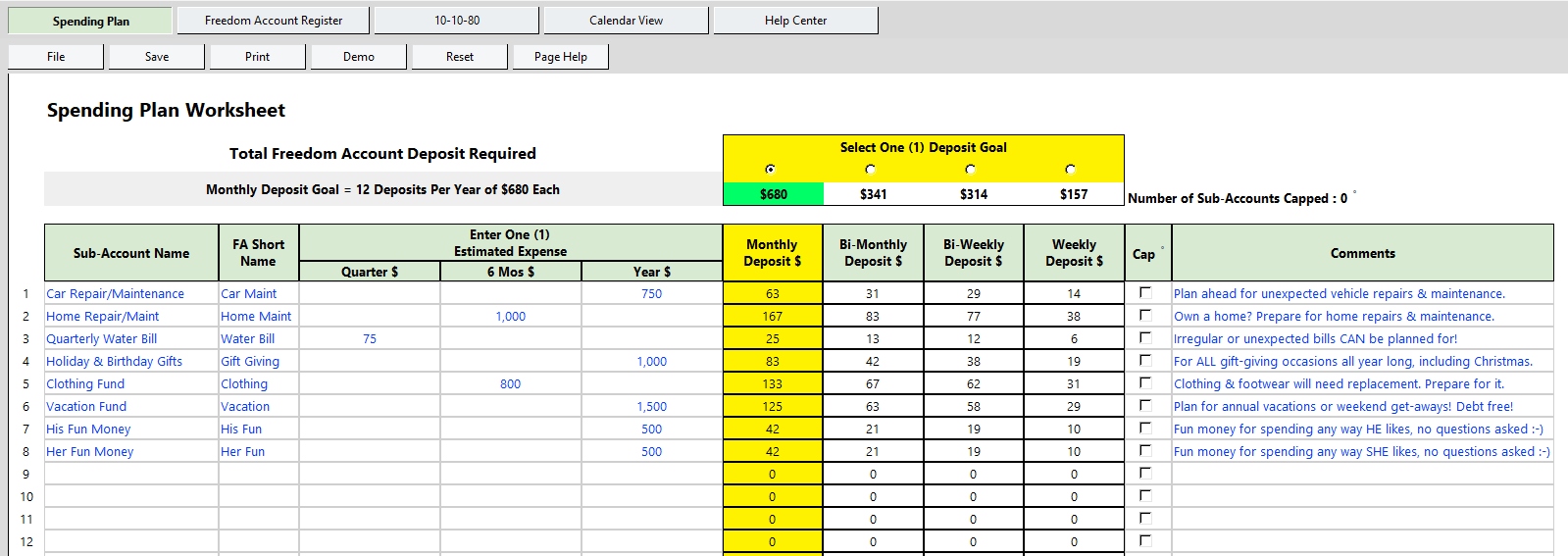
Freedom Account Spending Plan worksheet

Plan ahead

Freedom Account

$29 one-time

Prepare for life's irregular and unexpected-but-normal expenses — insurance, car repairs, medical bills, holidays, home maintenance — by setting money aside by purpose. A Spending Plan, a purpose-built Register, and printable reports show exactly what each dollar is for.

  • Up to 50 flexible categories with yearly goals and running balances
  • Deposit math done for you, with Auto Deposit
  • Register, Calendar View, and 10-10-80 budget view
  • Private Windows app — no bank connection, no login
  • Updates normally included for your current version
Purchase coming soon — $29   Full details →
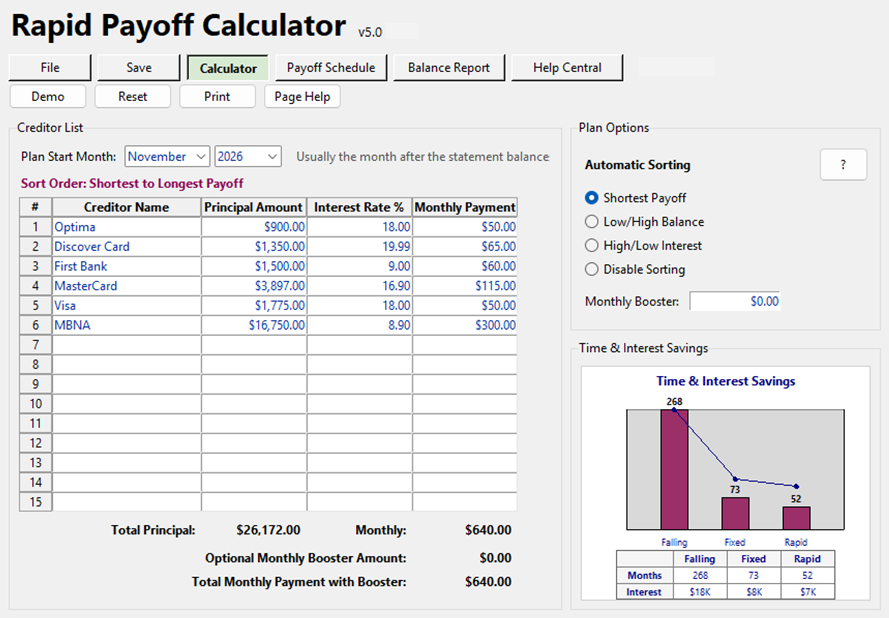
Rapid Payoff Calculator main screen

Pay off fast

Rapid Payoff Calculator

$29 one-time

Turn the payments you're already making into a clear plan for becoming debt-free. As each balance reaches zero, its payment rolls into the next debt instead of disappearing back into monthly spending. Add a Monthly Booster to go faster.

  • Printable month-by-month Payoff Schedule and Balance Report
  • Choose the payoff order that works for you
  • Optional Monthly Booster "what if" scenarios
  • Private Windows app — save, reopen, update, reprint
  • Updates normally included for your current version
Purchase coming soon — $29   Full details →
Best Value — Save $9

PlanAhead Money Bundle

Get Freedom Account and Rapid Payoff Calculator together for $49. Save $9 compared with buying them separately. Install both and continue using the versions you purchased with no recurring fee.

Bundle — $49 · Purchase coming soon

Common questions

Do I need to be good with computers?

No. Both apps use a familiar spreadsheet-style layout: type your numbers into clearly marked fields and the app does the math. Demo data and a Quick Start guide are included so you can explore before entering your own information.

Will it work on my computer?

Both tools are Windows desktop applications. They do not run on Mac, phones, or in a web browser. Tested on Windows 11; compatibility with Windows 10 and earlier versions has not been confirmed.

Do they connect to my bank?

No. Nothing links to your accounts and nothing is uploaded. Your data file stays on your own computer, or in a folder you choose such as OneDrive Documents.

Is this a subscription?

No. Pay once and continue using the version you purchased with no recurring fee. Updates to your current version are normally included when available and are designed to preserve your existing data; major future versions or substantial new capabilities may be offered separately.

What if it's not for me?

We plan to offer a 30-day money-back guarantee. Full terms and the refund process will be published before purchasing opens.

Have another question? Ask us →